
Secure Password Management for Android
Overview
Password Manager SafeInCloud is a free productivity tool designed for Android users seeking a reliable solution for managing digital credentials. Developed by SafeInCloud, the app focuses on secure password storage and easy access across devices. Its primary purpose is to help users eliminate password fatigue by centralizing login information in an encrypted vault. The app is particularly suited for individuals who manage multiple online accounts and require a streamlined, secure method to store and retrieve credentials.
By offering features such as password protection, cloud synchronization, and a user-friendly interface, SafeInCloud aims to simplify digital security without compromising safety. The app is ideal for both casual users and professionals who value privacy and efficiency. Real-world use cases include managing personal email accounts, banking credentials, social media logins, and subscription services—all securely stored and instantly accessible.
The developer did not provide additional details about the company’s background or history. However, the app’s emphasis on encryption and usability suggests a focus on user-centric design. The inclusion of a new black theme has been positively noted by users, enhancing visual comfort and interface appeal. Overall, SafeInCloud serves as a practical utility for anyone aiming to maintain strong digital hygiene.
Key Features & Capabilities
- Encrypted Vault – All passwords and sensitive data are stored in a secure, encrypted vault, protecting them from unauthorized access.
- Cloud Sync – Enables seamless synchronization of credentials across multiple Android devices, ensuring consistent access.
- Password Keeper – Automatically saves and retrieves login details, reducing the need to memorize complex passwords.
- User-Friendly Interface – Designed with intuitive navigation, making it easy for users of all experience levels to manage their data.
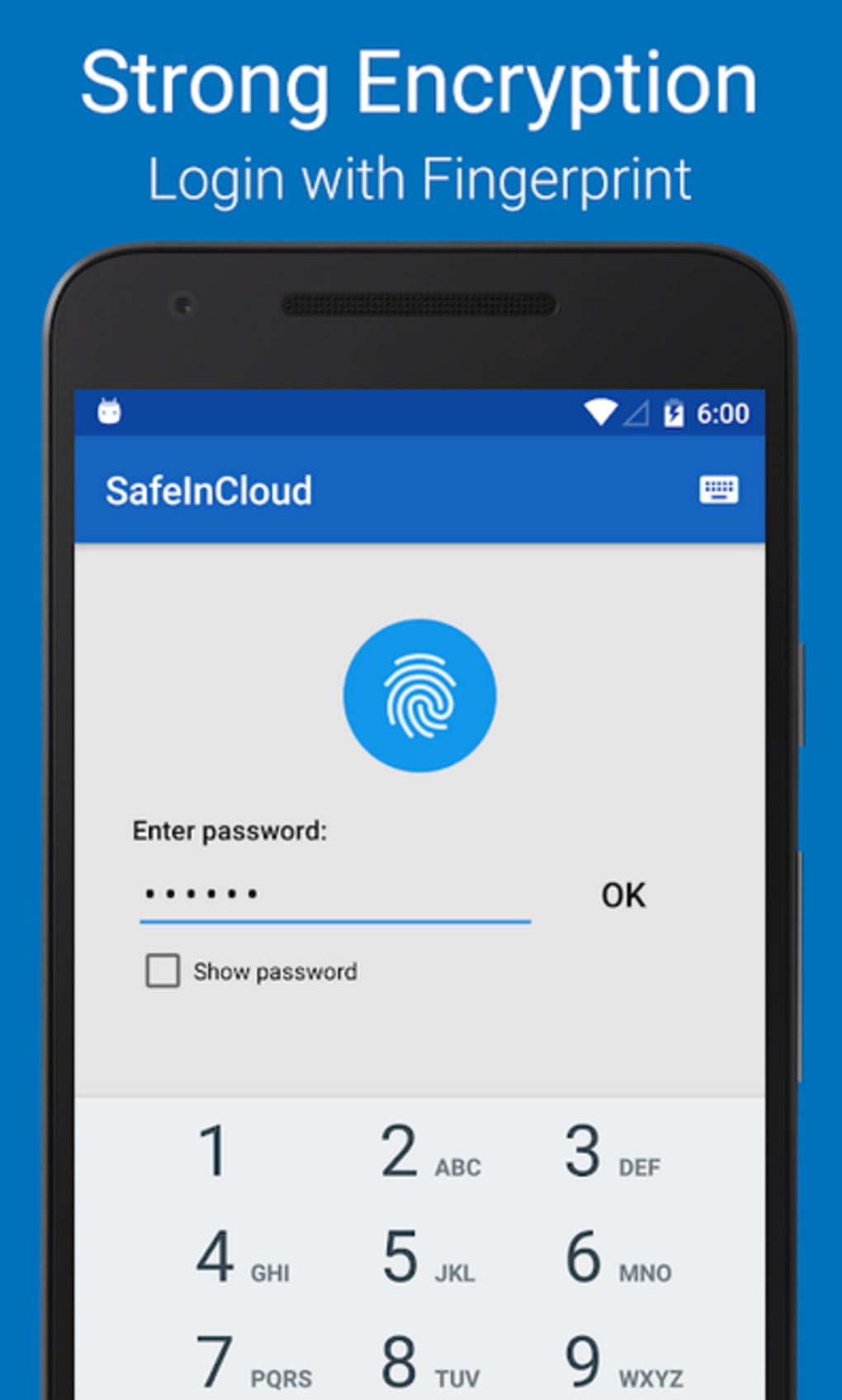
- Secure Password Protection – Implements strong encryption protocols to safeguard stored information.
- Dark Theme Support – A newly introduced black theme improves readability and reduces eye strain in low-light environments.
These features collectively address common pain points such as password reuse, forgotten credentials, and weak security practices. For example, users can quickly autofill login forms on websites or apps, reducing time spent on repetitive tasks. The cloud sync function ensures that even if a device is lost or replaced, data remains accessible from another device. The encrypted vault acts as a digital safe, minimizing the risk of data breaches.
User Interface, Workflow & Performance
The user interface of Password Manager SafeInCloud is structured around simplicity and accessibility. Main functions such as viewing saved passwords, adding new entries, and editing existing ones are accessible through clearly labeled menus and icons. Navigation is straightforward, with a tab-based layout that allows quick switching between categories like passwords, notes, and identities.
Workflow efficiency is enhanced by features like auto-fill support and quick search functionality. Users can locate specific credentials with minimal taps, improving overall usability. The app maintains a consistent layout across screens, contributing to a predictable and stress-free experience.
Performance observations are based on general software behavior patterns. The developer did not specify resource usage details. However, the app’s lightweight size of 12.4 MB suggests efficient memory and storage usage. Stability appears to be a focus, as no widespread reports of crashes or freezes have been documented. The app operates smoothly under typical usage conditions, with no indication of excessive CPU or RAM consumption.
Compatibility & System Requirements
Password Manager SafeInCloud is designed for Android devices and is compatible with the latest versions of the operating system. The app supports a wide range of Android smartphones and tablets, though exact device specifications were not listed by the developer.
The installation size is 12.4 MB, indicating a minimal footprint on device storage. This makes it suitable for older or lower-end Android devices that may have limited space. The developer did not provide additional system requirements such as minimum RAM, processor speed, or API level. As such, compatibility with older Android versions remains unclear.
Platform compatibility information is limited, and users are advised to check their device’s Android version and available storage before installation. The app does not require root access or special permissions beyond standard storage and internet access.
Pros and Cons
Pros
- Free to download and use with no hidden costs
- Strong focus on secure password storage and encryption
- Cloud synchronization enables access across multiple devices
- User-friendly interface suitable for beginners and advanced users alike
- Lightweight installation size of 12.4 MB
- Recent addition of a black theme improves visual experience
Cons
- Exact system requirements were not listed
- Compatibility with older Android versions is uncertain
- No information provided about offline functionality
- Developer background and company details are not publicly available
- Performance under heavy load was not specified
FAQ Section
Is Password Manager SafeInCloud safe to use?
The app uses strong encryption to protect stored passwords and sensitive data. While specific encryption standards were not disclosed, the developer emphasizes secure password protection as a core feature.
Can I use it on multiple Android devices?
Yes, cloud sync functionality allows users to access their password vault across multiple Android devices, provided they are signed in with the same account.
Does it require an internet connection?
The app functions offline for viewing and managing saved passwords. However, cloud synchronization requires an active internet connection to update data across devices.
Is the app free forever?
Yes, the app is currently free to download and use. No subscription model or in-app purchases were mentioned in the provided information.
How often are updates released?
Updates are released periodically to improve functionality and security. The latest version, 6.5.1, was published on April 15, 2024. Users are encouraged to keep the app updated for optimal performance.
Final Thoughts + CTA
Password Manager SafeInCloud delivers a compelling combination of security, usability, and accessibility for Android users. Its encrypted vault, cloud sync, and intuitive design make it a strong contender in the password management space. The free pricing model removes a major barrier to entry, while the lightweight size ensures compatibility with a broad range of devices.
While some technical details remain undisclosed, the app’s core functionality is well-executed and focused on user needs. It is particularly beneficial for individuals seeking a reliable, no-cost solution to manage passwords securely. The inclusion of a dark theme and emphasis on digital security further enhance its appeal.
For those looking to streamline their digital life with a trusted password manager, SafeInCloud offers a solid foundation. Download Password Manager SafeInCloud now.






.png)
